Thank you for purchasing infill filament

Here is a quick guide on how to use the infill refill system

At Infill Filament, sustainability is at the core of our innovation. The Infill Refill System is designed to reduce plastic waste in 3D printing by replacing traditional single-use spools with a durable, reusable & sustainable solution.
Instead of discarding an entire plastic spool after use, simply detach the reusable Infill Masterspool sides, insert a new Infill Refill, twist & lock and you are ready for printing.
This smart system helps minimize waste while maintaining the same reliability and print quality you expect. The Infill Refill System is engineered for smooth compatibility with most FDM 3D printers and works seamlessly with all Infill Filament materials.

We encourage you to 3D print your own Infill Masterspool using our 3MF/STL file from our downloads page and contribute for a green future.

Before You Begin

Please follow the installation steps and reference images carefully to ensure proper assembly and smooth printing performance

Important ❗

• Do not remove the plastic straps until instructed
• Always secure the filament end before removing the straps
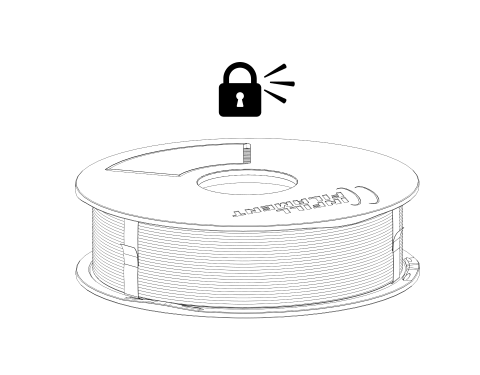
• Ensure both spool sides are fully locked before printing

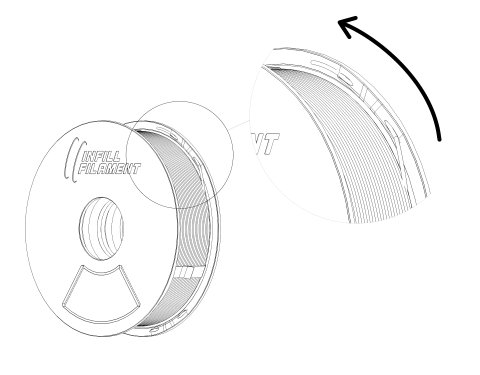
Step 1: Separate the sides of the masterspool

Hold the masterspool firmly on both sides with your hands. Gently twist the two sides in opposite directions until the masterspool separates.

Welcomeguide1 (1)

Step 2: insert the refill

(DO NOT remove the plastic straps)

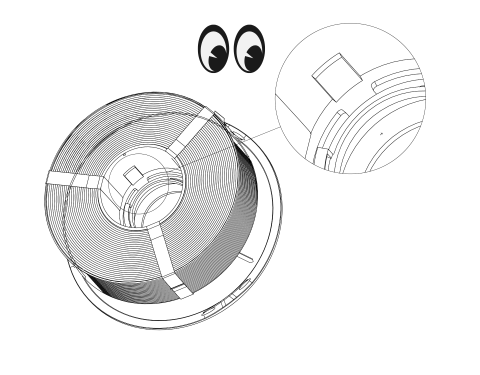
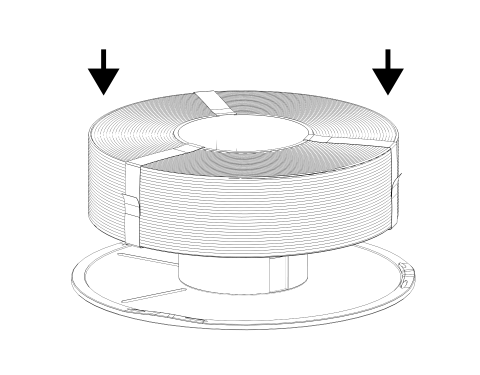
Take the Infill Refill filament out of the plastic bag. Hold one side of the masterspool flat keeping it horizontal to the ground. Locate the extruded section on the core of the refill and align it with the notch on the masterspool. (See reference image below) Once aligned, gently lower the refill straight onto the masterspool press it into position.
⚠️ Do not force it — if it does not fit easily, check the notch alignment again.

Welcomeguide1 (3)
Welcomeguide1 (2)

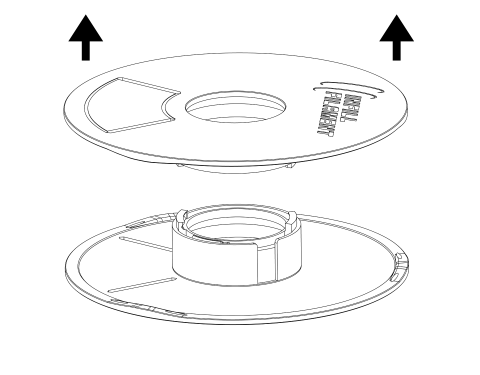
Step 3: Attach the Second masterSpool Side

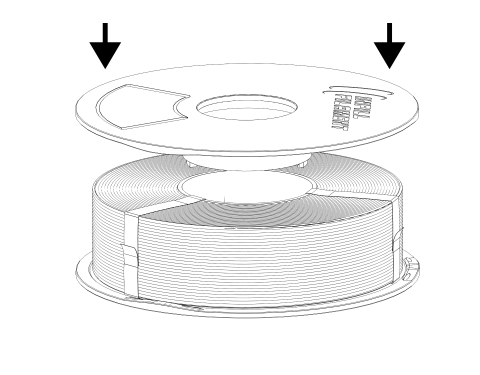
Take the other half of the masterspool and place it on top of the refill. Alignment of the notch is not required on this side. Simply position it correctly over the centre and press it down gently.

Welcomeguide1 (4)

Step 4: Lock the Spool

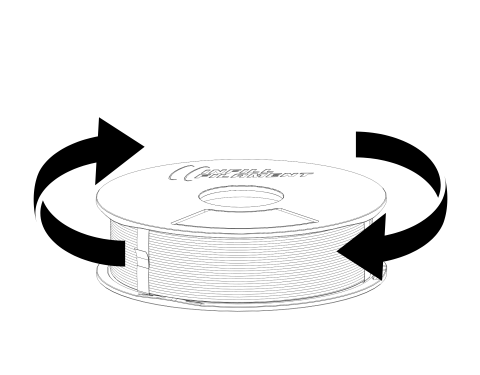
Hold both sides of the masterspool firmly. Twist the two sides in opposite directions until you hear a “click” sound. The click confirms that the masterspool is properly locked. Verify by unlocking and locking again.

Welcomeguide1 (5)
Welcomeguide1 (6)

Step 5: Secure the Filament End

Locate the small locking slot on the side of the masterspool, as shown in the image. Take the loose end of the filament and insert it into this slot. Make sure the filament is properly secured so it does not unwind or become tangled.

Welcomeguide1 (7)

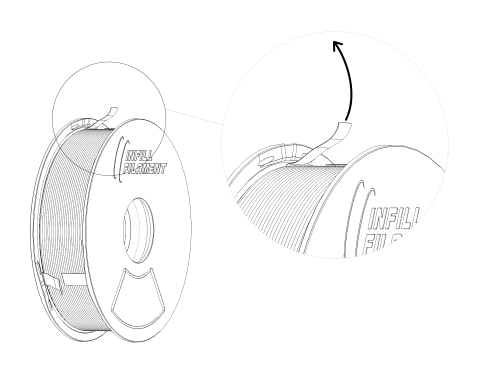
Step 6: Finally, remove the plastic straps

After the masterspool is fully assembled & locked, and filament end secured, firmly hold onto the end of the plastic straps to pull them out.

Welcomeguide1 (8)